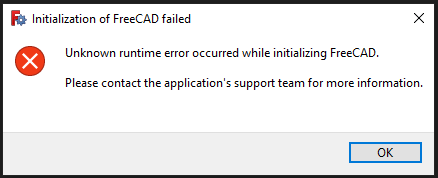
Has anyone encountered this issue when launching the software?
The only fix I've found so far is to uninstall and reinstall FreeCAD. Is there a better way to fix this? I wish the error message was more descriptive...
Edit: It seems that I can only launch FreeCAD by ticking the "Launch FreeCAD" checkbox in the initial installation wizard. All subsequent attempts to launch FreeCAD seem to fail. I can uninstall the software without removing my user preferences, so it's not terrible, but having to reinstall the software every time I want to close and reopen the software is a bit... undesirable.
Edit2: If it helps narrow things down, I'm on a Windows 10 machine.
Edit3: I found a forum thread with a workaround. For some reason, right-click and "Run as administrator" launches the software without triggering this error. Big thanks to Bside2234, whoever you are. Looks like the devs are aware of the problem, so hopefully it will be fixed in an upcoming version.
Edit4: This seems to have been fixed in FreeCAD 1.0.